Understand your network
See DNS activity by device, domain, block reason, cache result, and upstream response.
 A little clarity for your network.
Faro shows which devices are requesting domains, what gets blocked, and why. Run it on your own hardware and manage DNS from one clean interface.
Open source Self-hosted No cloud account required
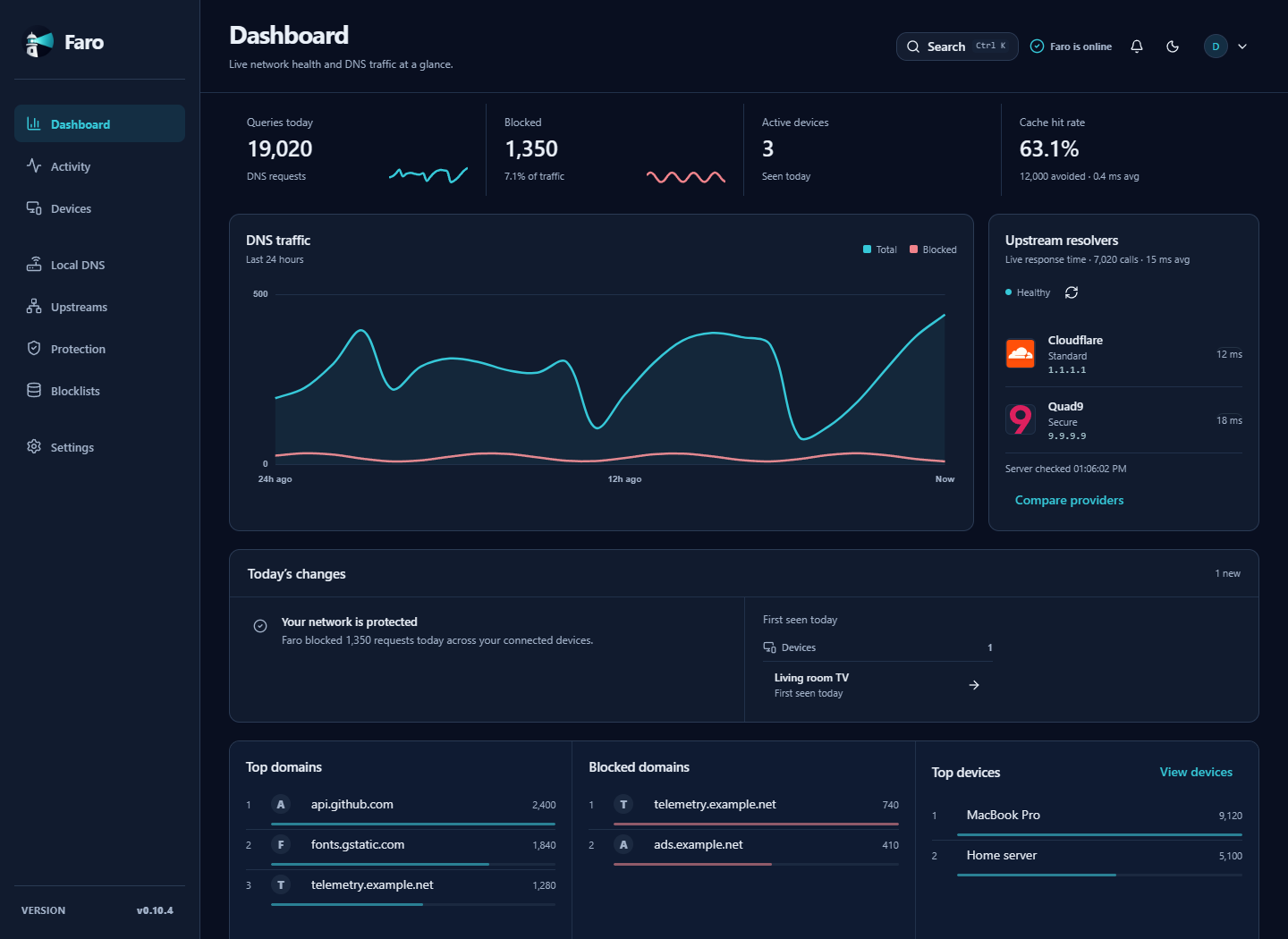
See DNS activity by device, domain, block reason, cache result, and upstream response.
Use blocklists, per-device protection profiles, schedules, and exceptions.
Faro is self-hosted. DNS history and configuration stay on your hardware.
01 / Activity
Search live and historical DNS activity. See which device requested a domain, whether it was allowed or blocked, and why.
Explore activity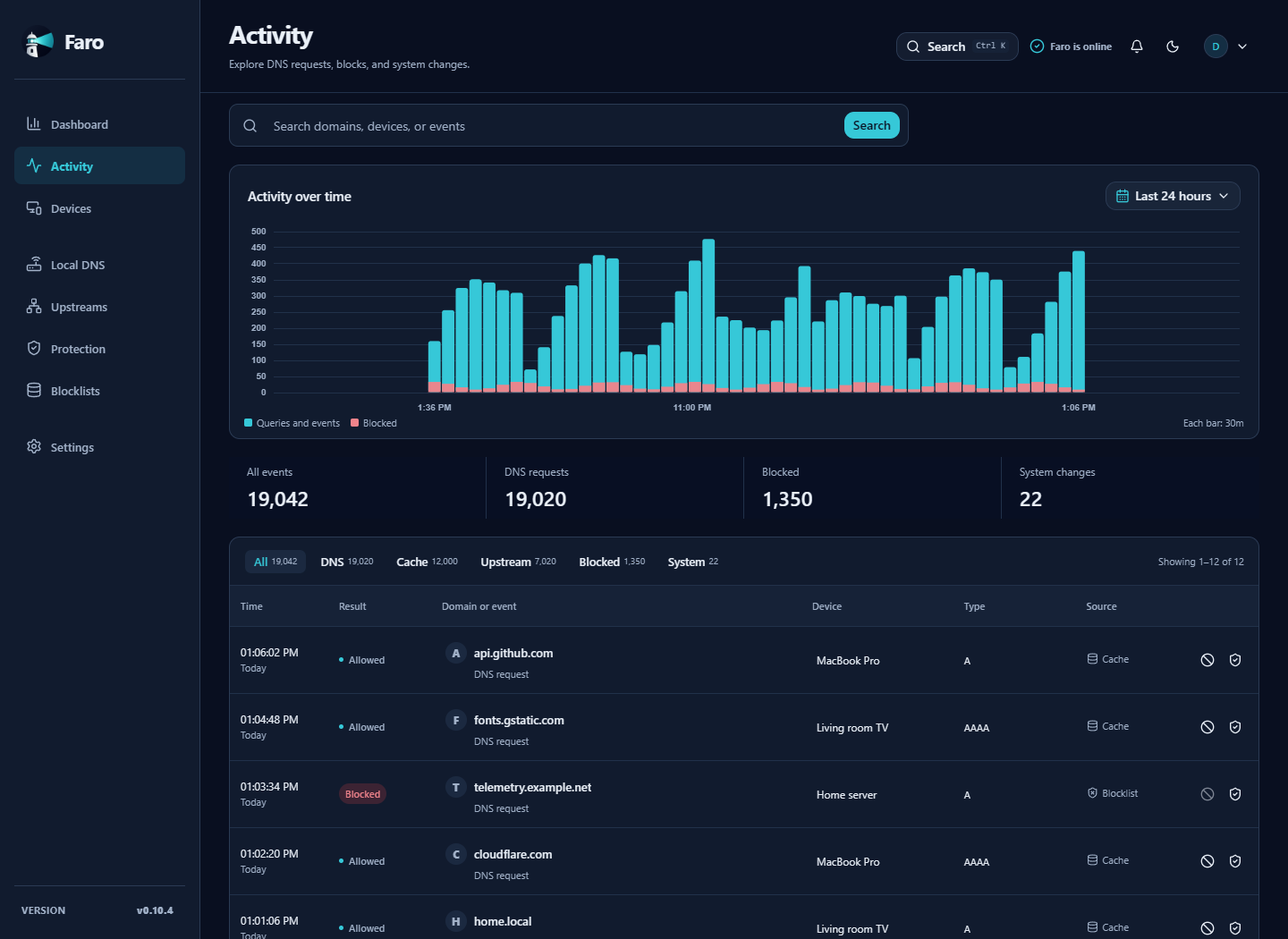
02 / Devices
Give devices names that mean something. Review their activity and assigned protection in one place. Optionally connect a local UniFi controller to help identify them.
Meet your network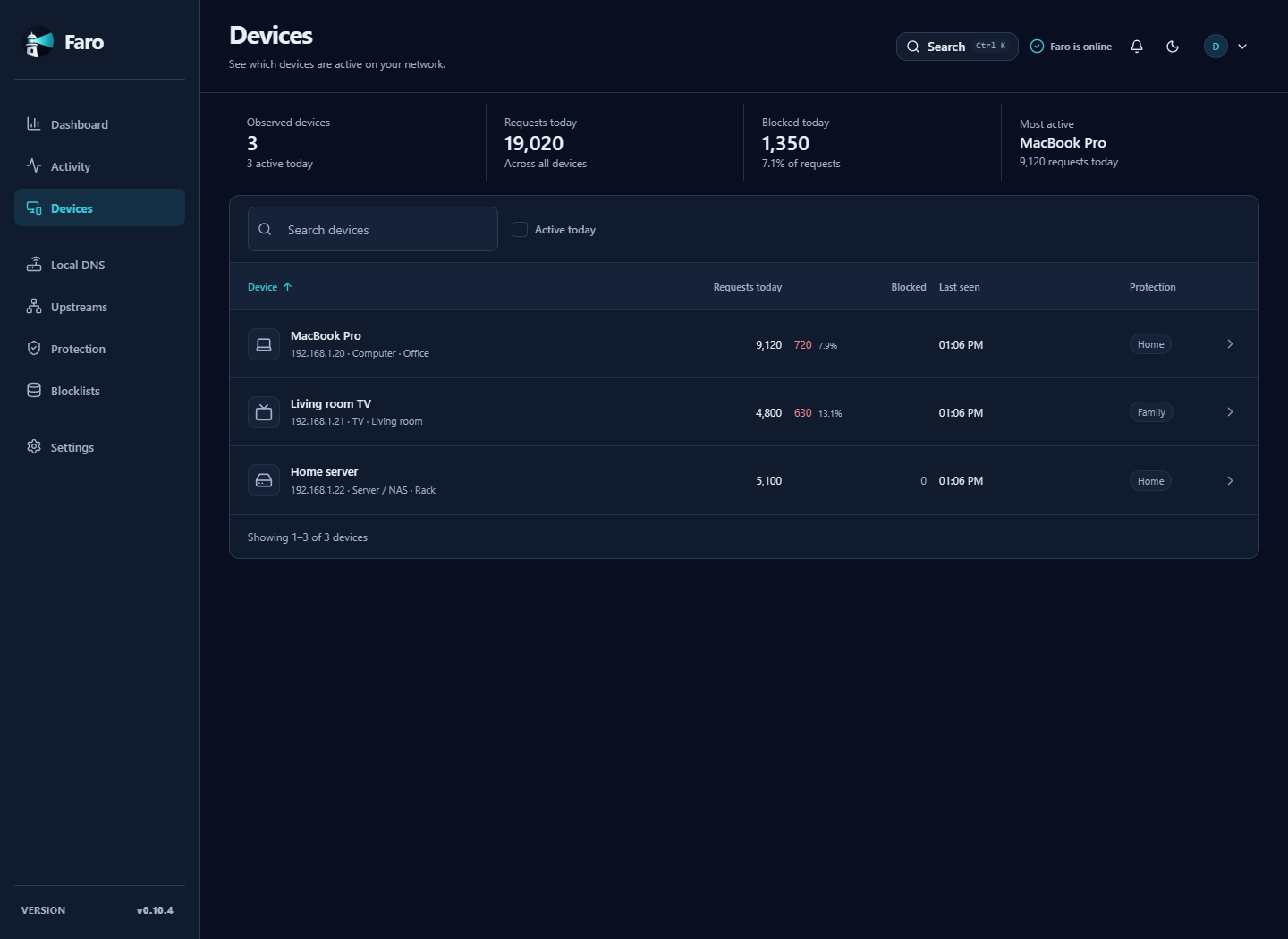
03 / DNS, made understandable
CoreDNS does the DNS work. Faro makes the everyday tasks understandable, from naming a home server to keeping a second DNS server ready.
Read the documentationA simple path. Your choice.
 FaroOn your hardware
Faro uses CoreDNS to answer DNS requests and forwards requests it cannot answer locally to the upstream provider you choose.
Your DNS history and configuration remain local.
Choose how much history to keep. Create encrypted backups and restore them from the interface.
Get started
Bring an always-on machine with Docker Compose, a fixed local IP, and port 53 available for DNS.
mkdir faro && cd faro
curl -LO https://raw.githubusercontent.com/derek-diaz/Faro/main/docker-compose.yml
docker compose up -dOpen http://YOUR-FARO-IP:1787 and follow the guided setup.
Point your router or one device’s DNS setting to Faro’s local IP address.
Apache 2.0 · Always inspectable
Faro is open source under Apache 2.0. Issues, ideas, and contributions are welcome.
Built and maintained by Derek Diaz Correa in Puerto Rico.
View Faro on GitHub